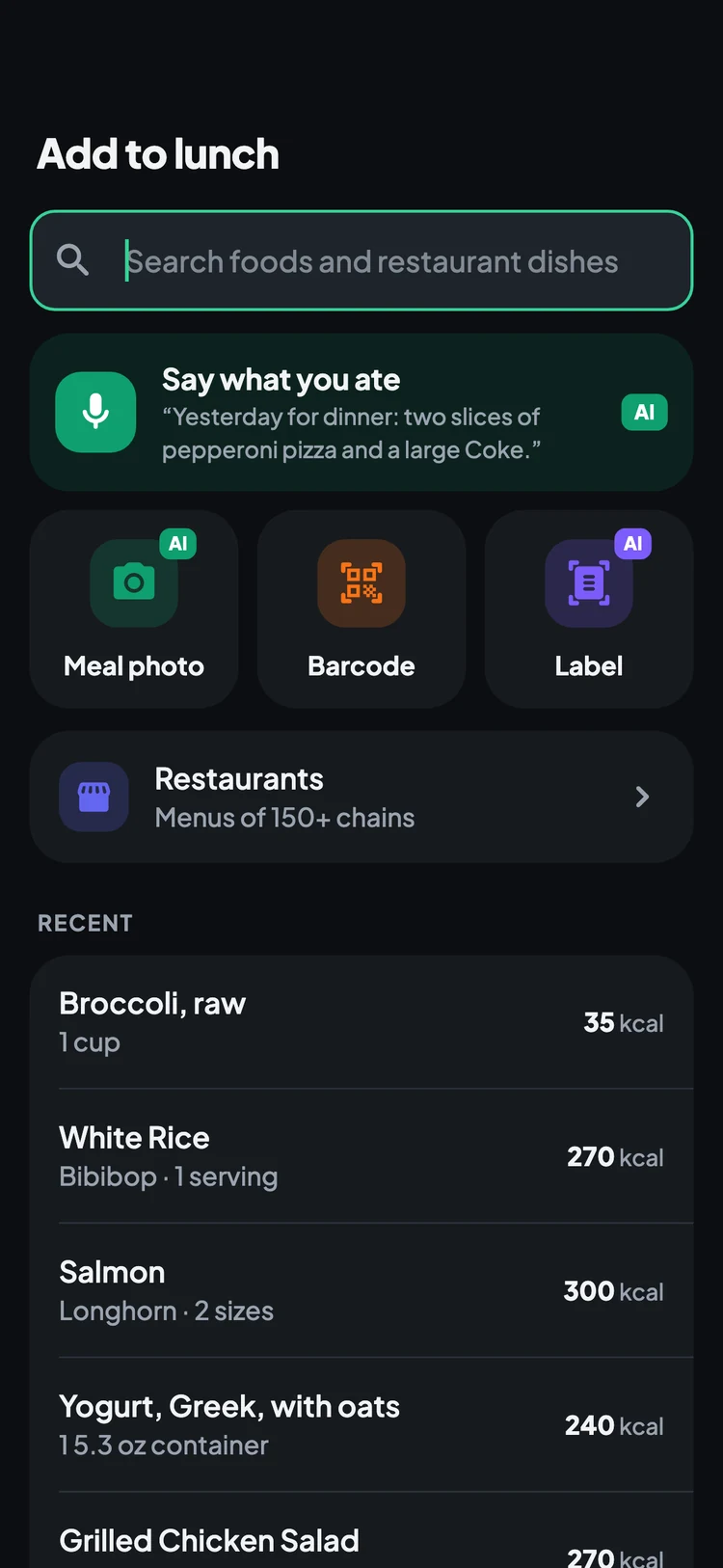
Log a meal in seconds. Snap it, scan it, or just say it.
Calories Tracker AI turns a photo of your plate, a barcode, a nutrition label or a sentence like “two eggs and toast for breakfast, a burrito bowl for lunch” into a food log you can check and edit. Your daily budget adapts to your real weight trend, and workouts and steps from Apple Health or Health Connect count automatically.
- Meal photo
- AI lists what's on your plate
- Barcode & label
- Packaged food in one scan
- Say what you ate
- A whole day in one go
- 150+ restaurants
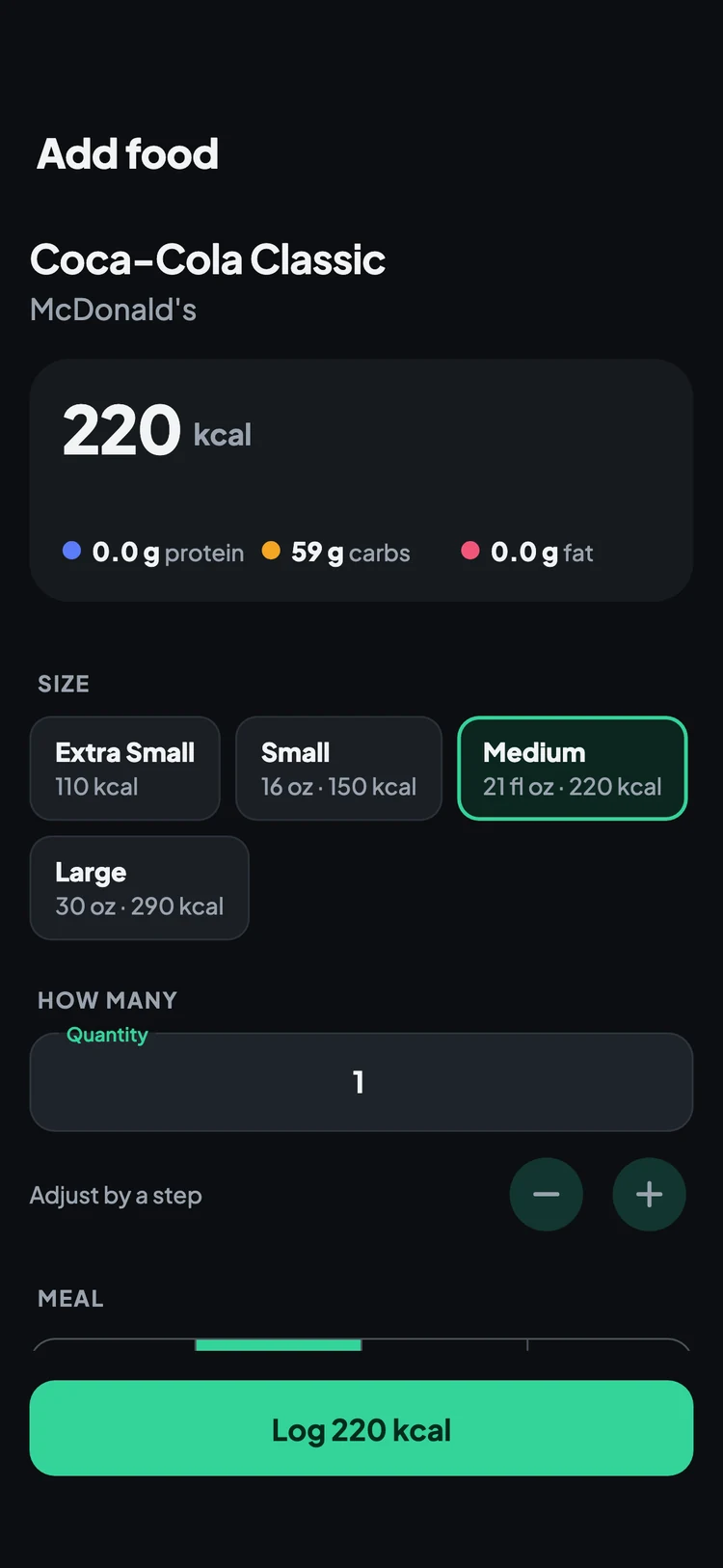
- Menus by piece & size
Everything you need to stay on budget
Fast logging, a budget you can trust, and the habits that keep you going. The extras, like a macro split or a per-meal budget, are optional and stay out of your way.
📸 Snap a meal photo
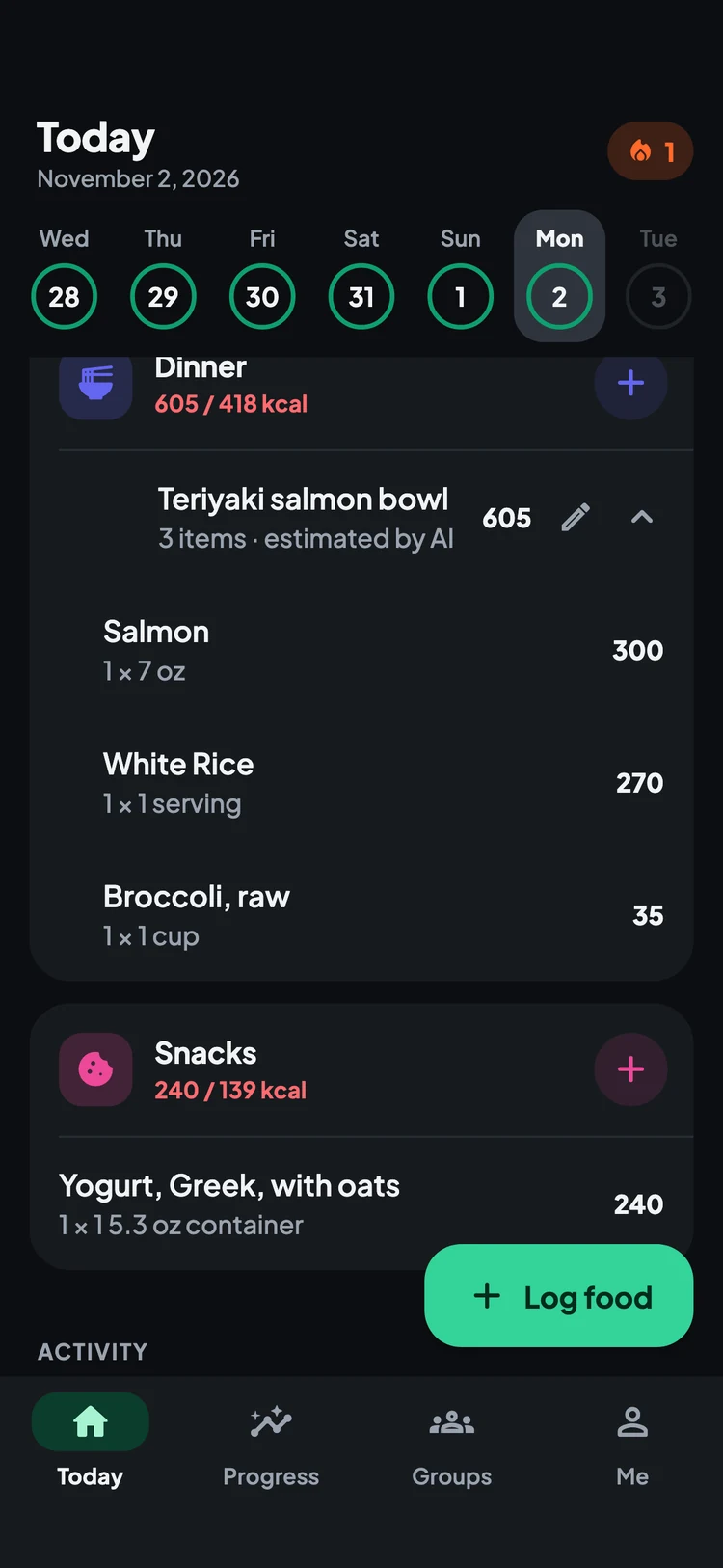
Take a picture of your plate and the AI lists each item with a portion and calories. Fix anything it got wrong, then log it as one dish. Your photo stays with the meal.
🎙️ Say what you ate
Describe breakfast, lunch, dinner and snacks in one go. The app splits it into the right meals for you, and you can move any item before logging.
🏷️ Barcodes & nutrition labels
Scan a barcode for packaged foods, or photograph the Nutrition Facts label when a product isn't in the database yet.
🍔 USDA foods & restaurant menus
Search thousands of everyday foods from the USDA database and menus from over 150 restaurant chains, by the piece (8 nuggets) or by size (a medium drink).
🎯 A budget that adapts
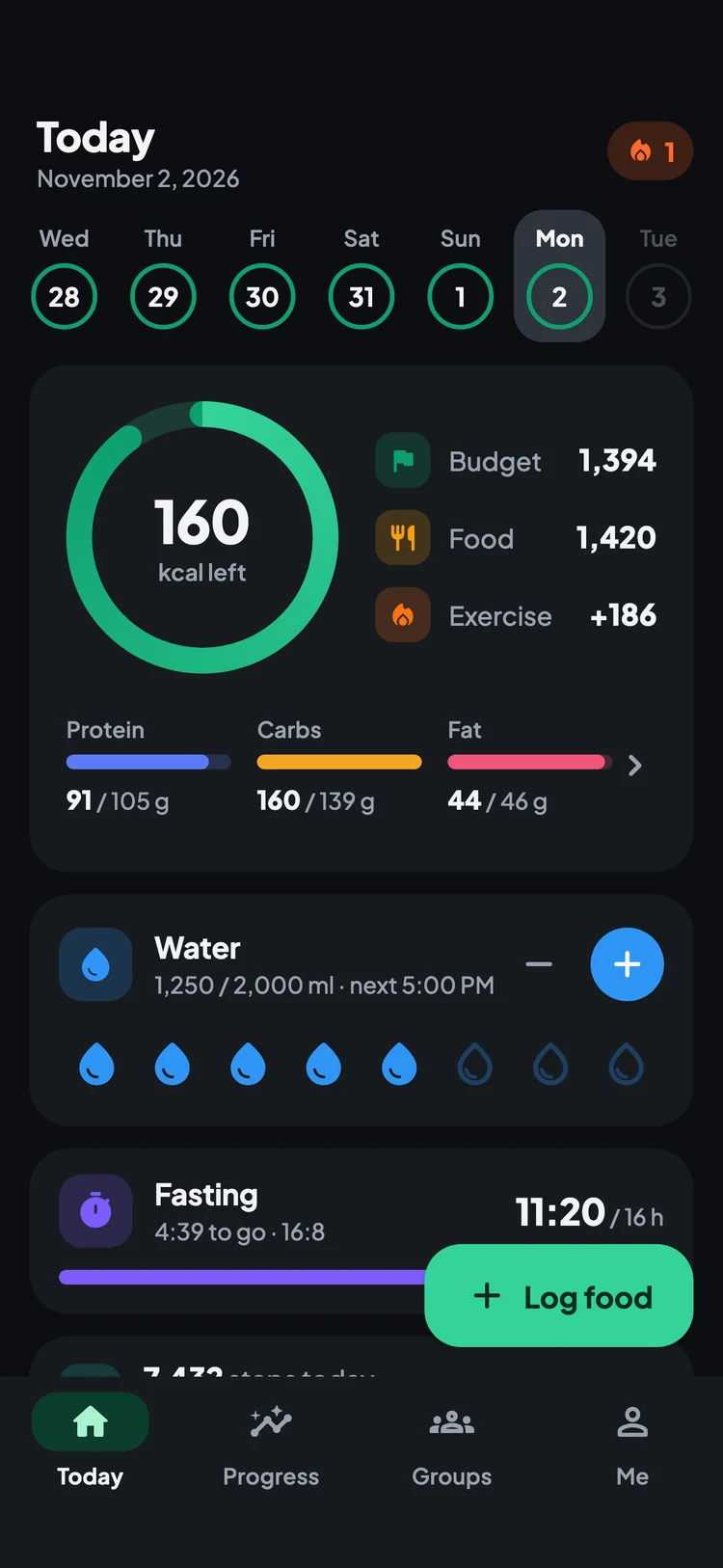
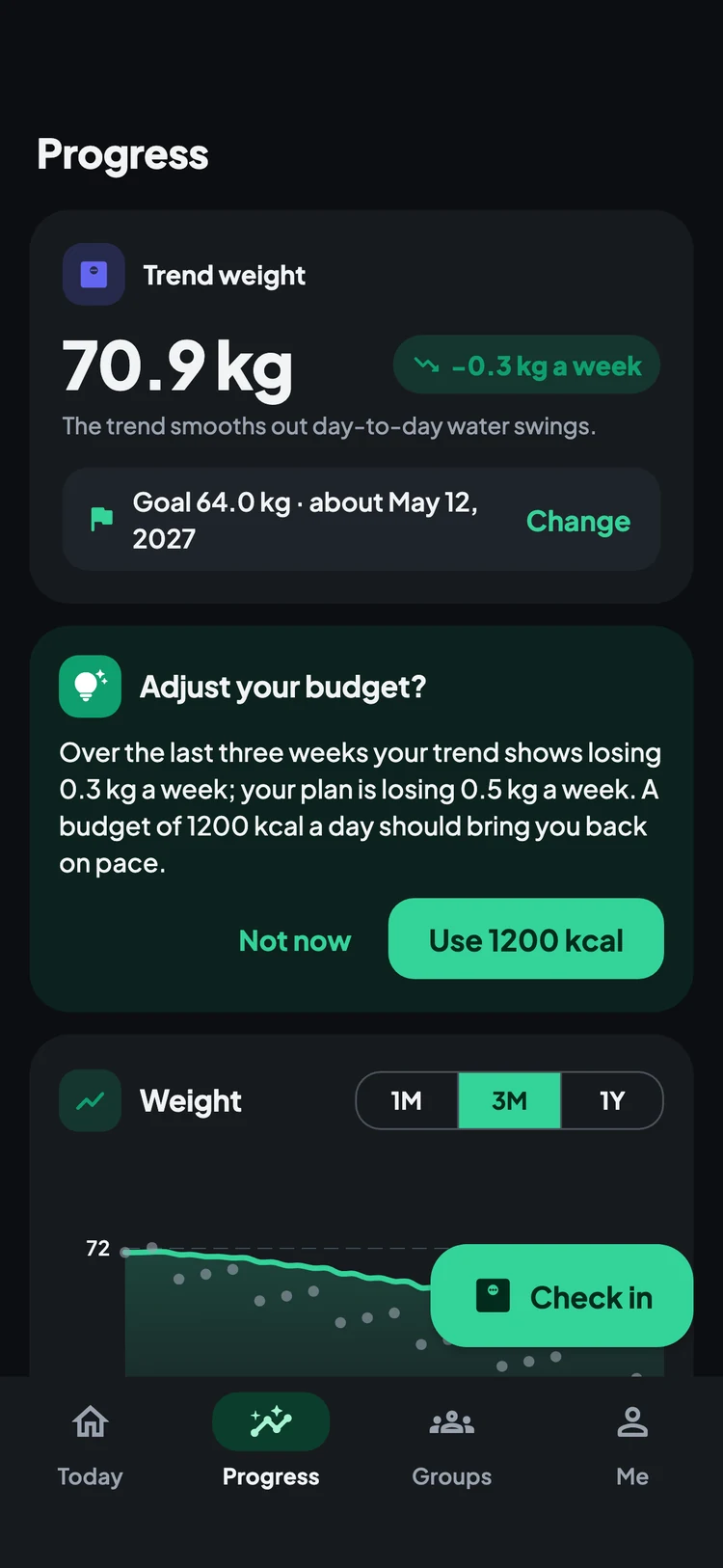
Pick a pace or a target date and get a daily budget. The app watches your weight trend and suggests a change when your plan and reality drift apart. The ring turns yellow just over budget and red beyond.
🏃 Exercise & steps
Log workouts from a list of activities or import them from Apple Health and Health Connect. Steps beyond your usual day count too, and burned calories are added back to your budget.
📈 Weight, body & progress photos
A smoothed trend weight that ignores day-to-day water swings, waist and other measurements, and private progress photos to compare side by side.
⏱️ Fasting & water
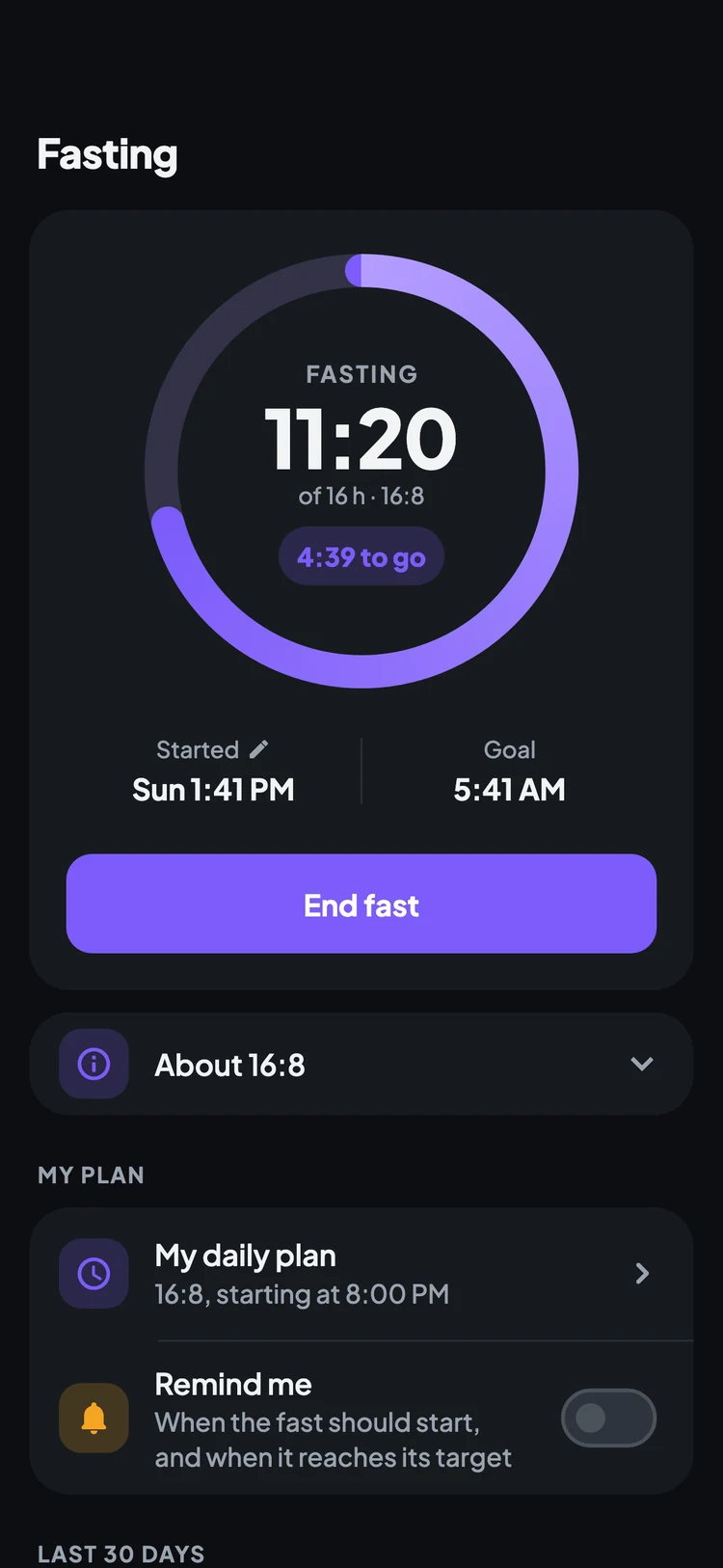
A fasting timer for 16:8 and other plans, a daily water goal with tap-to-fill cups, and reminders when you want them.
👨👩👧 Groups, streaks & badges
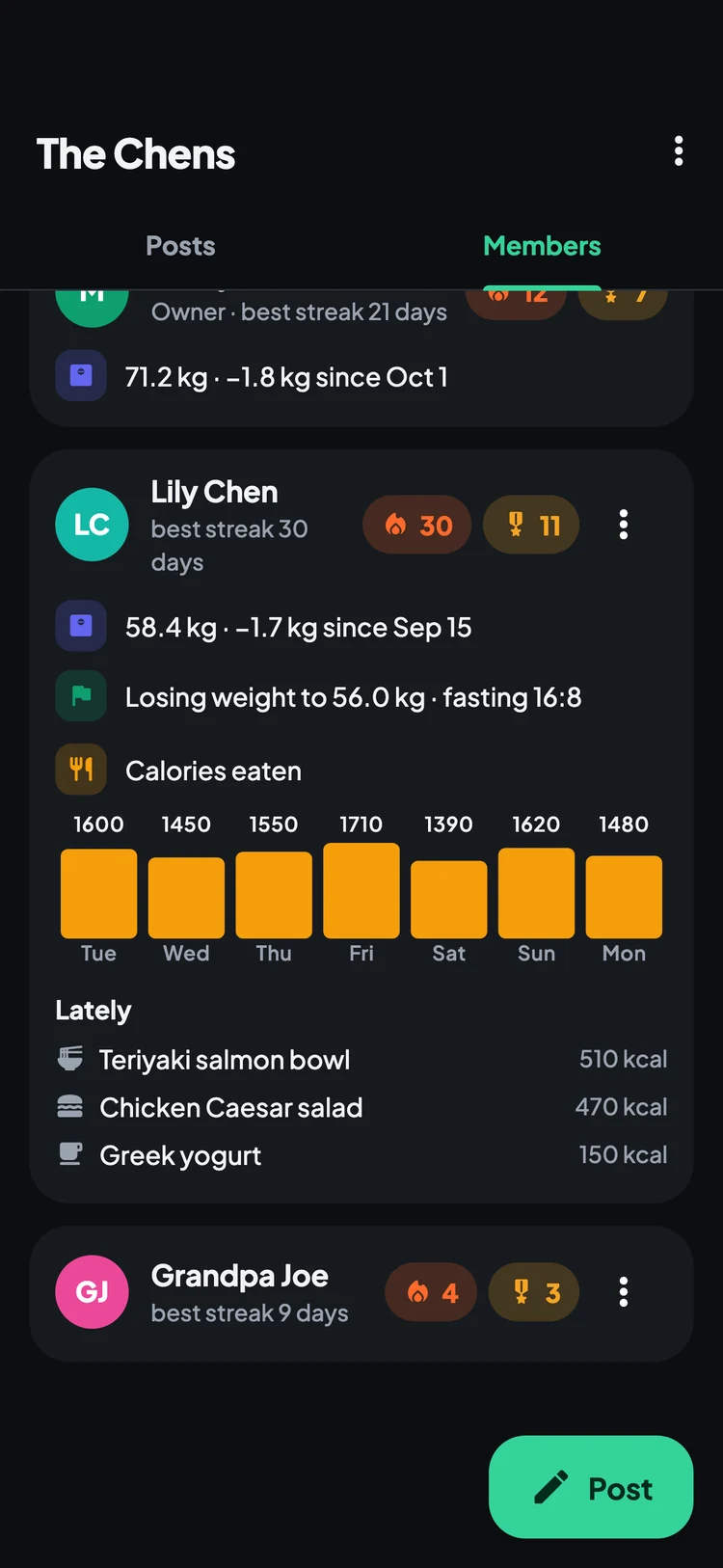
Keep each other going in a private group with family or friends, where each person chooses what to share, or join a public group. Earn badges for your streaks.
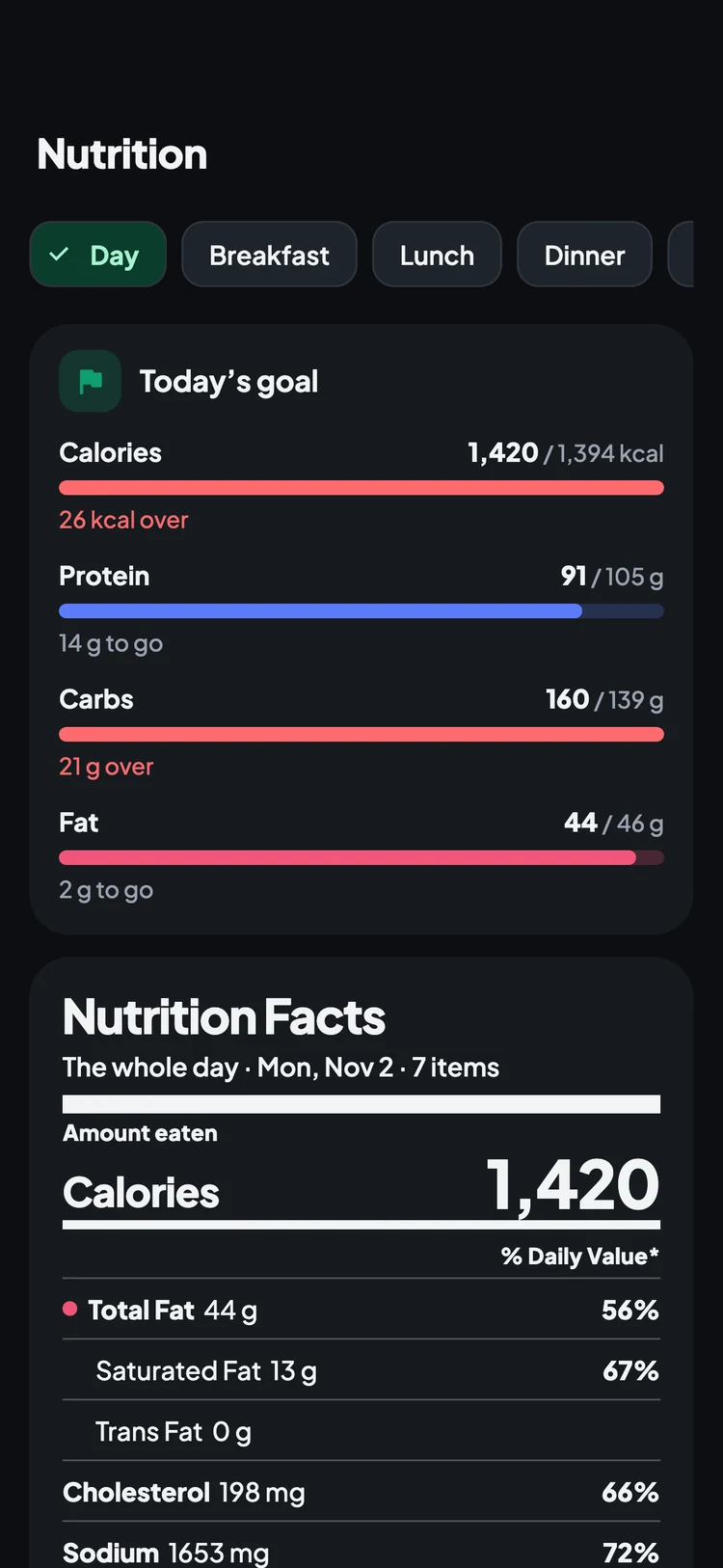
Also: a home-screen widget showing calories left, one-tap shortcuts to log food or your weight, nutrition facts for each day and meal, dark mode, US or metric units, and your data synced across iPhone and Android.
See Calories Tracker AI in action
Your day at a glance, every way to log food, your trends, and the people cheering you on. Switch the site between dark and light to see both themes.
How Calories Tracker AI works
A minute to set up, a few seconds per meal.
-
1
Set your goal
Lose, maintain or gain weight, or simply eat healthier. Choose a weekly pace or a date to reach your goal, and see exactly how your daily budget is worked out.
-
2
Log your day
Snap, scan, search or say what you ate. Workouts and steps from Apple Health or Health Connect come in on their own.
-
3
Check in & adjust
Weigh in when you like. Your trend weight shows the real direction, and the app suggests a new budget when your progress calls for one.
Frequently asked questions
- Is Calories Tracker AI free?
- Yes. Food search, restaurant menus, barcode scanning, exercise and steps, weight and progress photos, fasting, water, groups and badges are all free. Every account also gets 20 free AI scans (meal photos, labels or voice), plus 50 more for each friend you invite.
- What does Premium add?
- Premium is for logging with AI every day: up to 60 AI scans a day for meal photos, nutrition labels and “say what you ate”. It's billed through the App Store or Google Play, monthly or yearly, and you can cancel any time in your account settings.
- How accurate are the AI estimates?
- The AI names each item and estimates its portion, which is usually close for everyday meals. You always see the items before they are logged and can change a portion, swap an item or tell the AI what it missed. For packaged food, a barcode or label scan is exact.
- Does it work with Apple Health and Health Connect?
- Yes, if you turn it on. Workouts and steps are imported and added to your budget, and you choose whether all or half of those calories count.
- Do I have to track macros?
- No. By default you only need your daily calorie budget. Protein, carbs and fat targets and a per-meal budget are optional, and you can switch them on or off any time.
- Who can see my data in a group?
- Public groups only see your streak, badges and posts. In a private group you choose what to share, such as weight, calories, your plan or your dishes. Progress photos are never shared.
- What platforms are supported?
- iPhone and Android. Sign in with Google or email and your log, photos and settings stay synced across your devices.